
Algo Class
GDPRSeating plans, student profiles, workload and next-year classes, shared with your colleagues
A teacher's tool to organise a class without the bloat: a seating plan generated in one click from your constraints, a profile for each student (accommodations, what works, observations), a radar that shows whether the week's workload is reasonable, and a simulator to build next year's classes. Student data is encrypted before it is saved; colleagues in the same school share classes and profiles, and everyone keeps private whatever they wish.
Audience : TeachersLevel : Middle and high school (all levels)
Sign in with your e-mail address or with Google. The app then opens in your browser.
What the app does
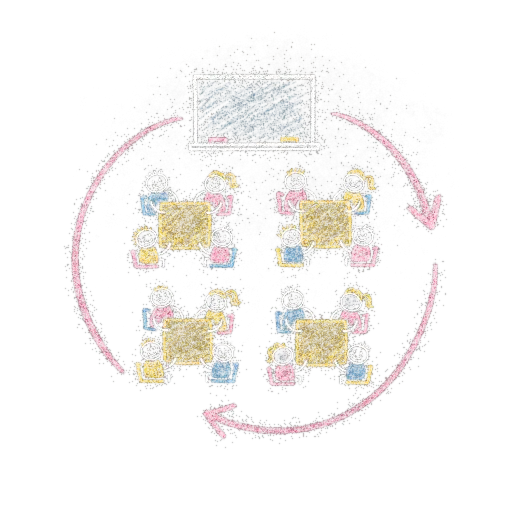
- Seating plans in rows, single desks, groups of 4 or a U shape: balanced generation with a « similar ↔ mixed groups » slider, drag and drop, pinned seats, undo.
- Constraints respected automatically: front row, near the teaching assistant, students to keep apart, a tutor next to a struggling student.
- Projection mode (first names only, no profile or accommodation) and a fair random draw.
- Student profile: accommodations as tags (extra time, Dys, teaching assistant, light health plan, support plan), what works, short observations and a hand-over summary for next year. No medical data.
- Workload radar: a green, orange or red gauge per day and per class, a warning before an overload, duration adjusted for accommodations.
- Next year's classes: Excel or CSV import, options offered by each class, automatic balancing (class sizes, girls/boys, profiles, needs, pairs to separate), drag-and-drop simulator with live gauges, Excel export.
- Sharing with colleagues of the same school (classes, students, constraints, tasks); strengths, observations, plans and simulations stay private unless you share them.
- Interface in French, English and Bahasa Indonesia (language choice on the home page).
How it works
- 1Create your classesPaste a student list or import an Excel file; classes are shared with your colleagues unless you make them private.
- 2Fill in the profilesProfile, accommodations, what works and constraints for each student, in a few clicks.
- 3Generate the planPick the room and the mix slider, then adjust by hand: unmet constraints are flagged.
- 4Follow the workloadAdd homework and tests: the week's gauge shows the overloaded days.
- 5Prepare next yearImport the future students, run the balancing, adjust with the mouse, then apply or export.
Why it is useful
- A thoughtful seating plan in seconds instead of long hours with paper.
- Special needs are taken into account from the start, discreetly.
- Balanced, defensible next-year classes, with visible indicators.
- Fewer oversights: the team shares the same view of the students and the workload.
Good to know
- Student data is encrypted in the browser before it is saved: the server never reads it.
- Sharing only concerns accounts of the same school; an account with no school keeps everything private.
- Accommodations are simple tags: do not record any diagnosis or medical information.
- If two colleagues edit the same profile at the same time, the most recent edit is kept.
- The application opens in the browser, nothing to install.