
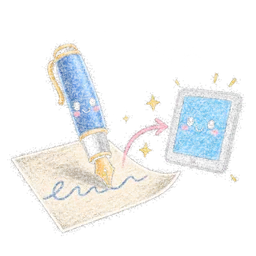
Scripto
Turn handwriting into a digital document
Photograph a handwritten document (notes, draft, letter, homework), get the text exactly as written, get guided to correct or improve it (the explanation first, the hint only on request), then copy the text into your digital document in one tap.
Audience : Adults and studentsLevel : Primary, middle school, high school and adults
Sign in with your e-mail address or with Google. The app then opens in your browser.
What the app does
- Reading of handwriting, even cursive, keeping your words and your mistakes.
- Cropping and rotating the photo before reading.
- Multilingual spelling and grammar checker: the explanation first, the correction hint only on request.
- "Improve" button: a minimal, faithful correction, with a word-by-word comparison to accept or refuse.
- Direct typing or pasting of a text to check it, without a photo.
- Copy the final text in one tap to your document or usual tool.
How it works
- 1PhotographYour handwritten document, or an image already saved.
- 2CropKeep only the text to read.
- 3CorrectRead the text again, check the errors flagged and get guidance.
- 4CopyPaste the text into your digital document.
Why it is useful
- Quickly turn a handwritten text into a digital document.
- Keep your text as you wrote it, without it being corrected for you.
- Support designed to help you progress: the explanation before the answer.
- Several languages: French, English, Spanish, German, Italian, Portuguese.
Good to know
- The spelling checker is free and remains usable even with limited access. Reading a document and "Improve" use credits: the balance is shown at the top.
- No key is needed. Photos are sent to Google for the time of the reading, then forgotten: nothing is kept on our servers.
- Reading a document costs about 2 credits; "Improve" about 3 credits.
- The app works in the browser, on an iPad, tablet or computer, with nothing to install.